Interesting article about “Deathsetics” or designing death in video games.
Today we’ll learn how to die from bumping into a blueprint that kills you. We’ll also learn how to keep track of lives using a Game Instance Blueprint.
A Game Instance is something that will store variables that won’t change as you change or restart levels. You need to search for it under “All Classes”:

Then very importantly make sure you set it in Maps & Modes in your project settings. If you don’t do this none of this will work!

All I put in my game instance is one variable: KristinaLives. Set it to however many lives you want to give your player. Here I did 5.

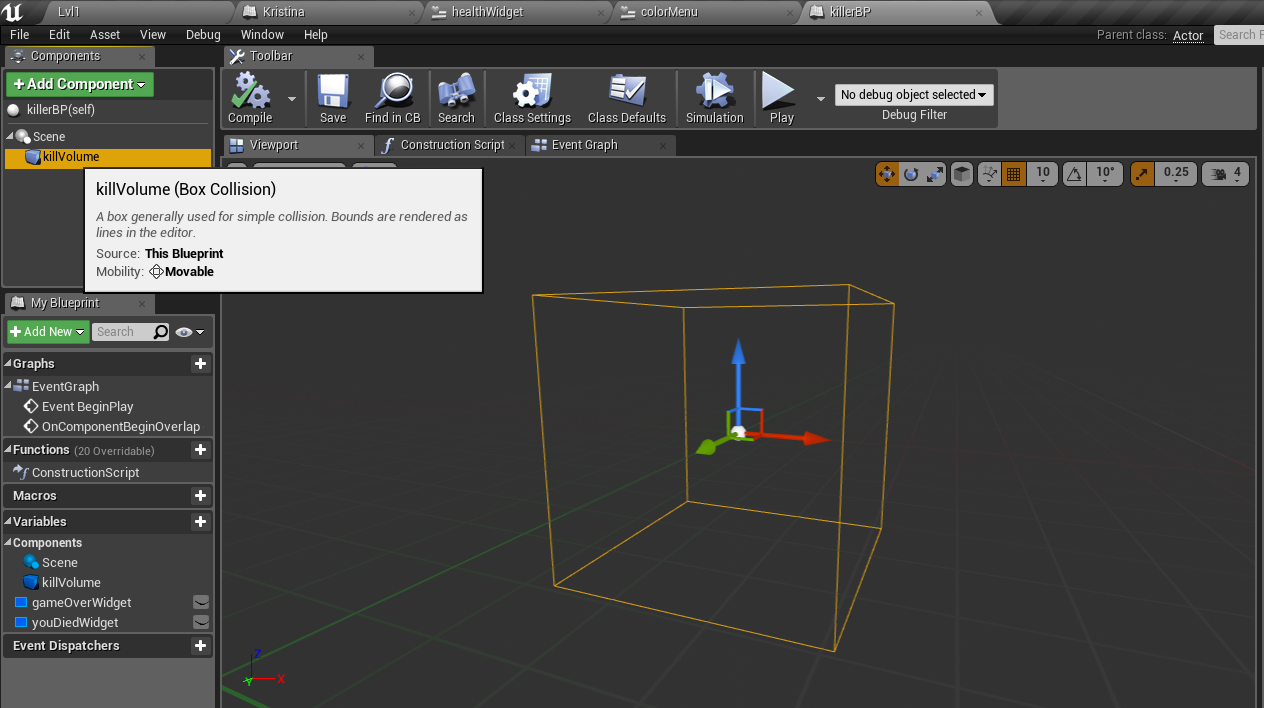
Then I created an actor blueprint named KillerBP. This is just a Box Collision volume that will kill my player character anytime it overlaps. I can set this to any size I want in the level.
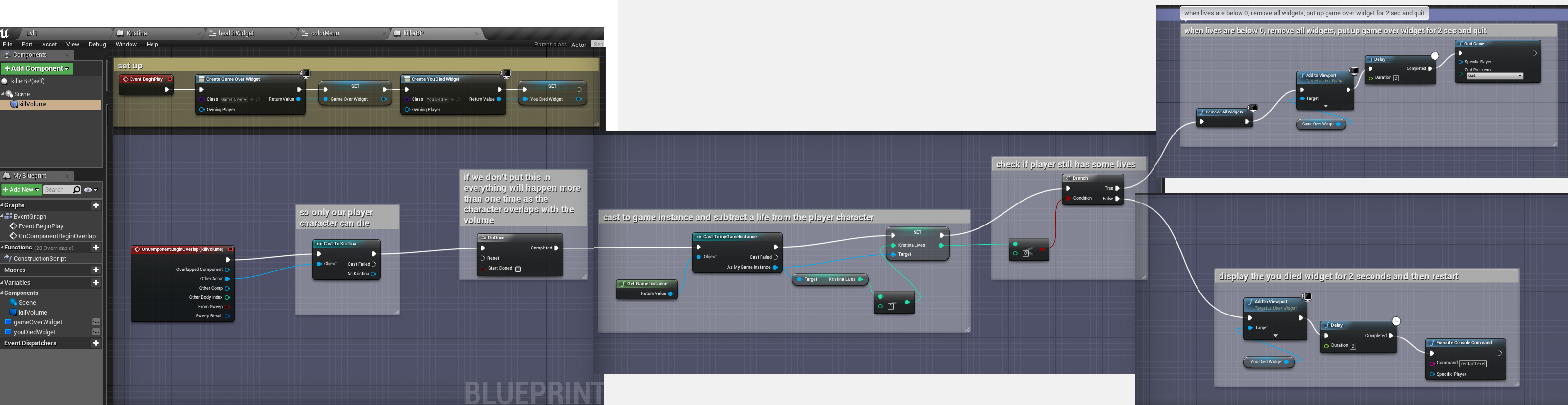
Here is the code for when the box is overlapped. I’m checking how many lives my player has left. If it’s more than or equal to 0, I just put up a simple text widget telling them they died and then I restart the level. If it’s less than 0, I remove the health widget, say game over, and quit the game.
Next I created a widget to keep track of my player’s health and lives left. In the designer section I added a text box and in Content, Text, rather than typing in a number I clicked the Bind button to the right.
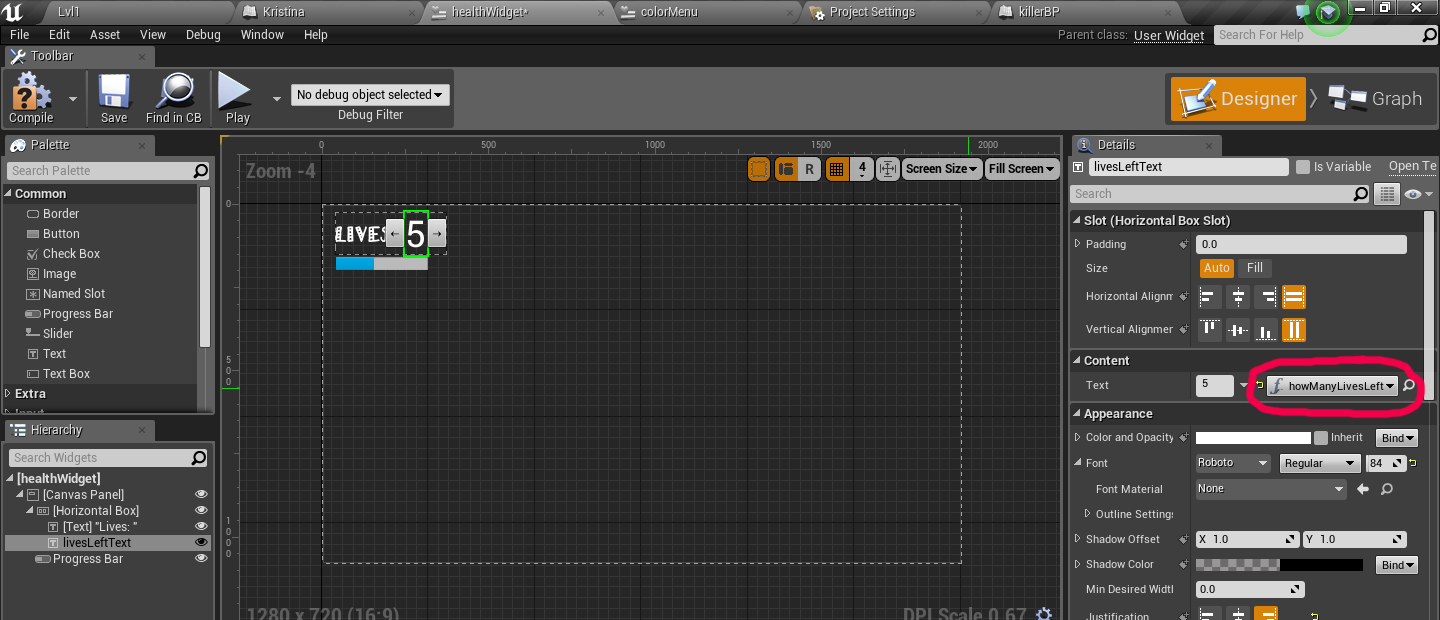
When you click Bind and then + it will create a function for you for that section of your widget. Here I’m casting to my game instance, pulling out the Kristina Lives variable and printing it to my widget.

TO FIGURE OUT: How do you make a blueprint that only takes away a little bit of health from the player (i.e. -0.1 from a health of 1) rather than killing them all at once? The blueprint would also check their health and when it’s 0 or less, then it would kill them. How do you visually represent this in the Widget using the progress bar?