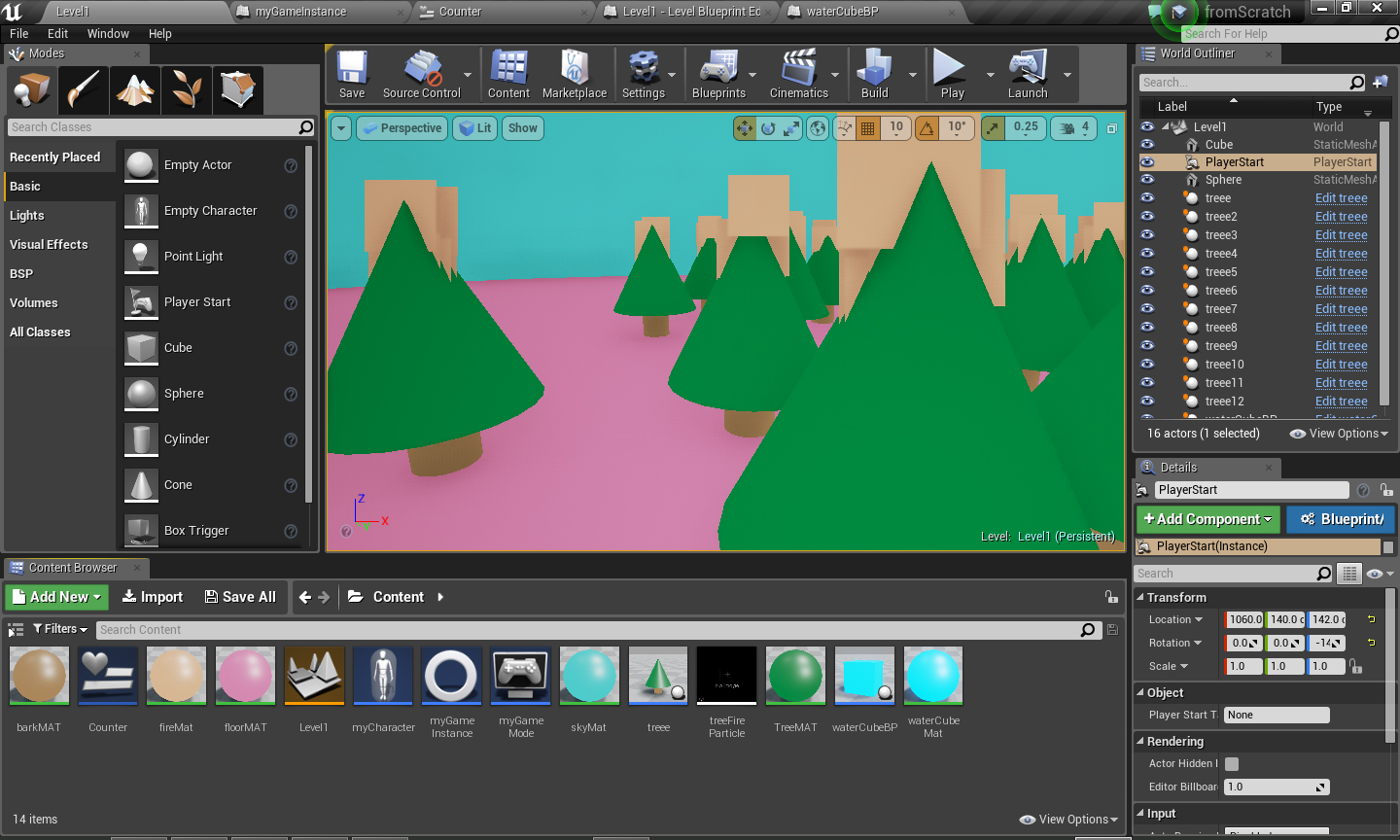
For this mini-game you have to run around a burning forest and find a water cube to put out the fire before it’s too late.
Here is the tree actor blueprint class. Nothing here except a few shapes and a super simple particle system.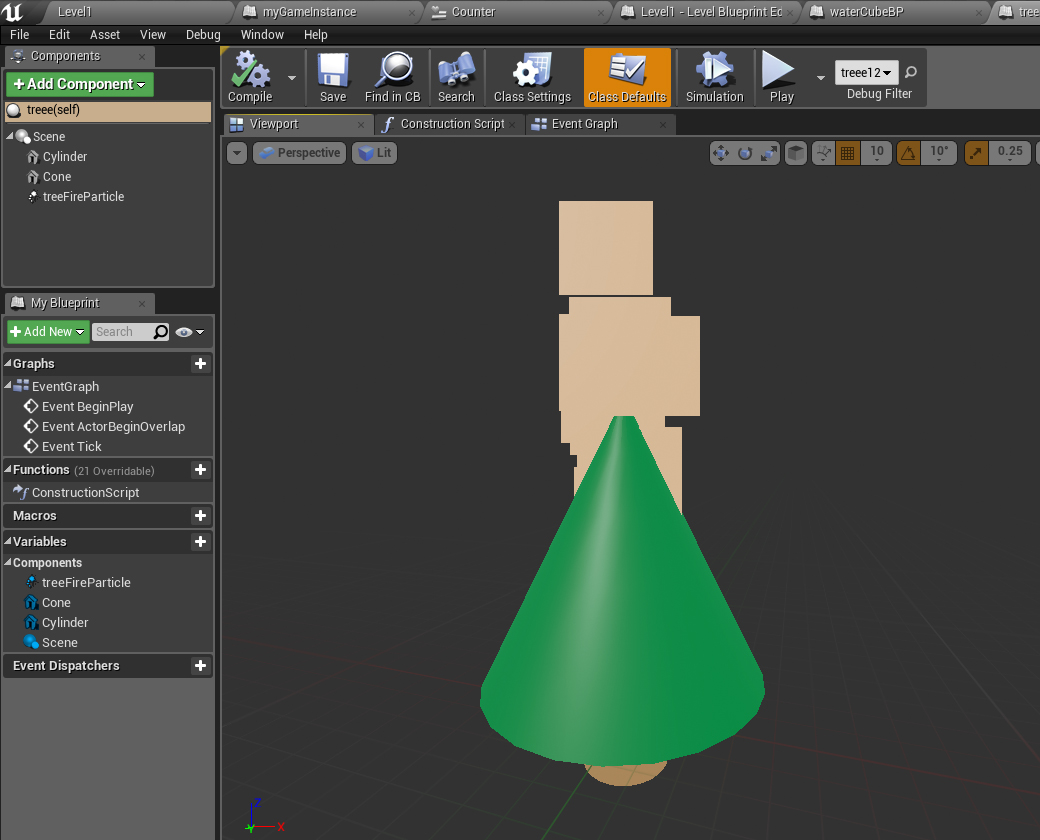
Here is the water cube with a sphere collision so when the player runs into it, something happens.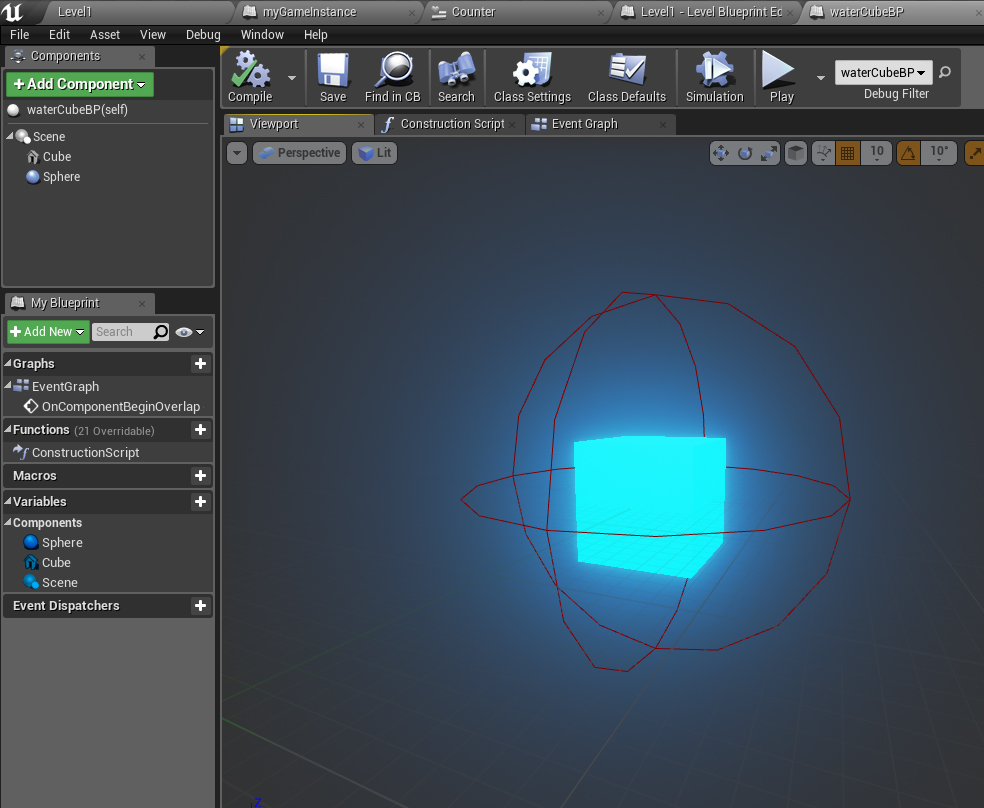
What happens is this blueprint clasts to the gameInstance blueprint and tells the game the player has found the bucket (by setting the boolean FoundBucket? to true) and then destroys the bucket.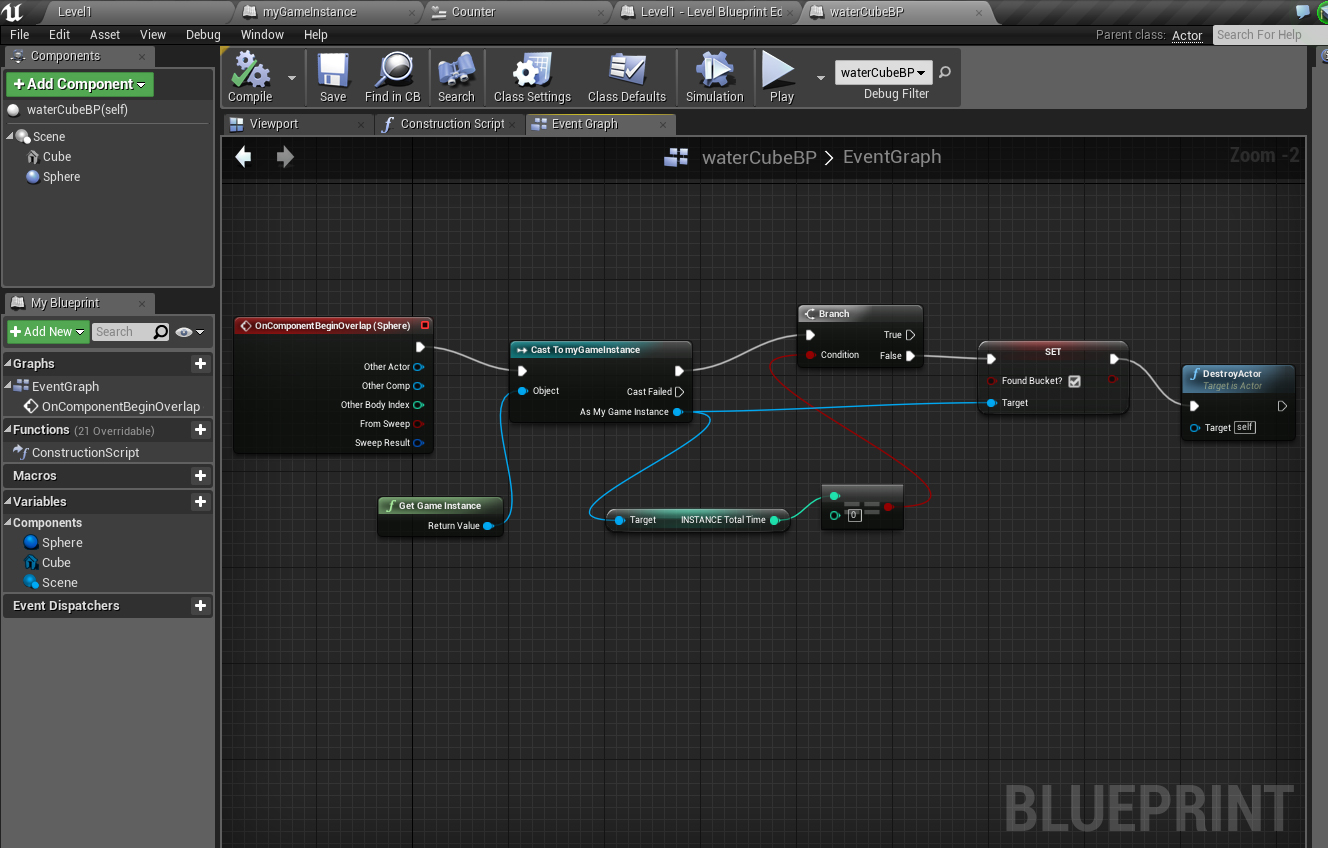
Here is a flashing material I set up for the bucket. I took a Time node and connected it to a Cosine to get a pulse.

Here are the variables in my GameInstance:

Here is the level widget with the countdown and some text to tell the player what to do.
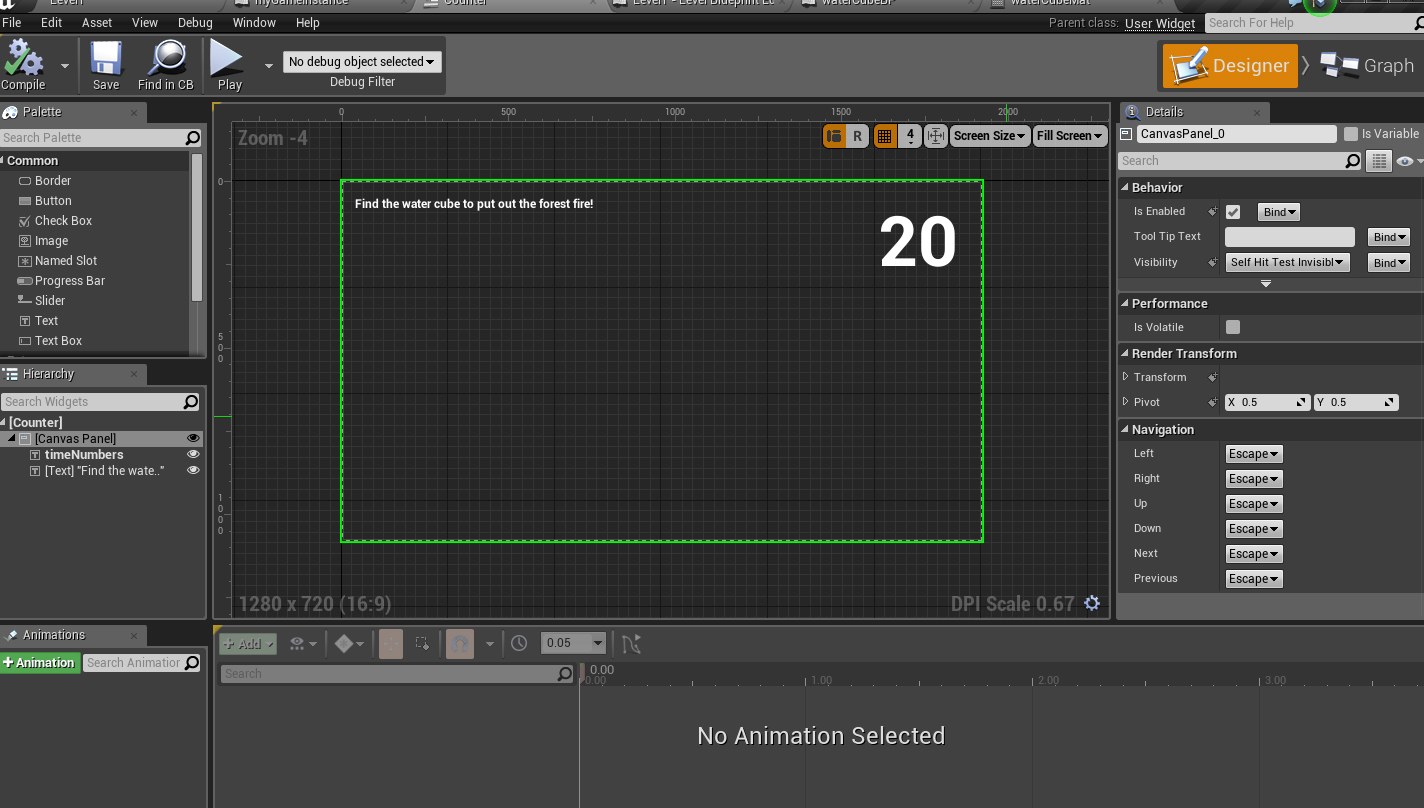
For the instruction text I made two variables. One was an array with three different things that could be said. The other is called Display Text and I pull from the array using “Get” and set display text with that in the level blueprint. Then in the widget I just cast to the game instance to run the display text variable through it.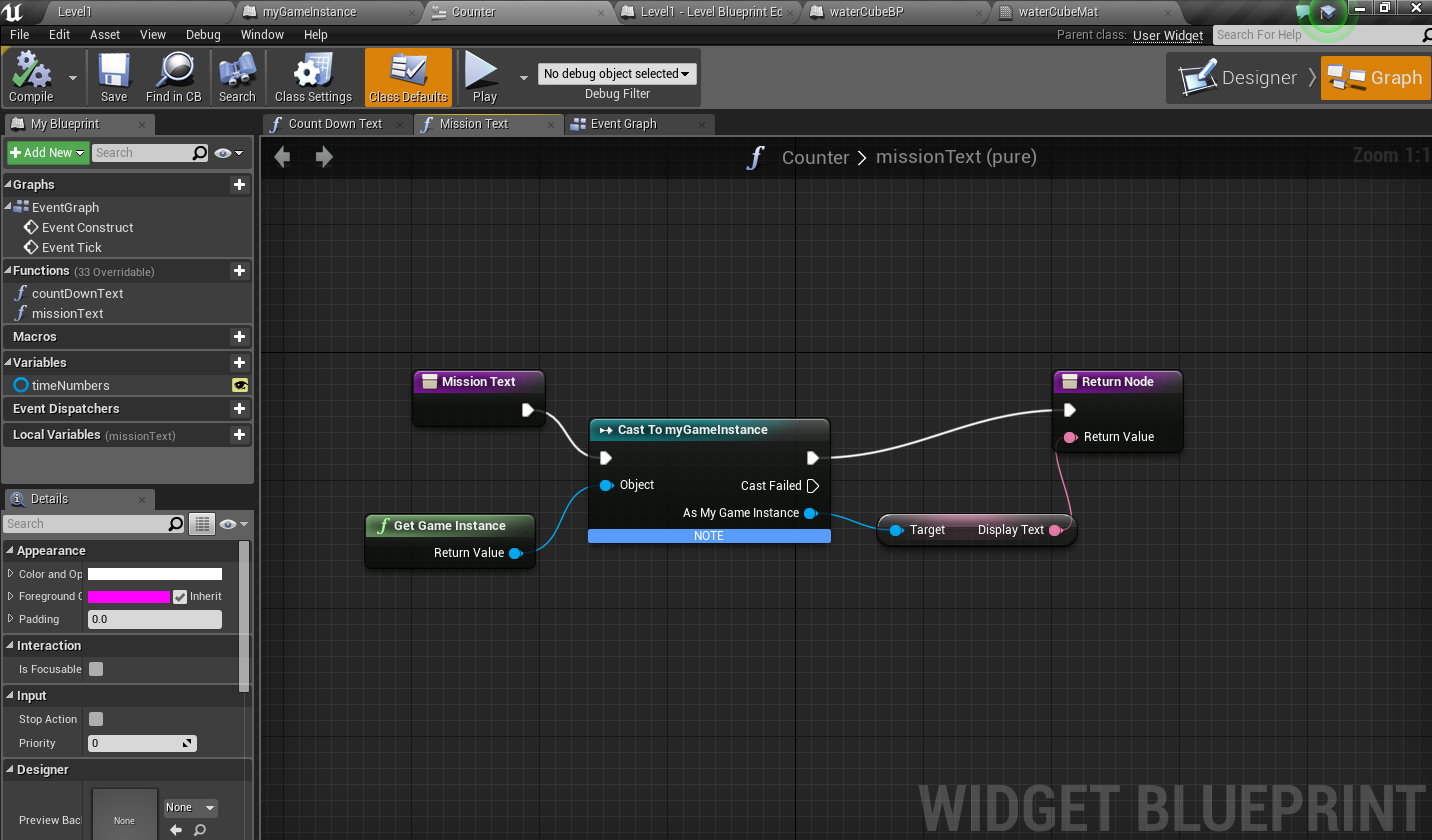
Here is where I show the time in the widget blueprint:
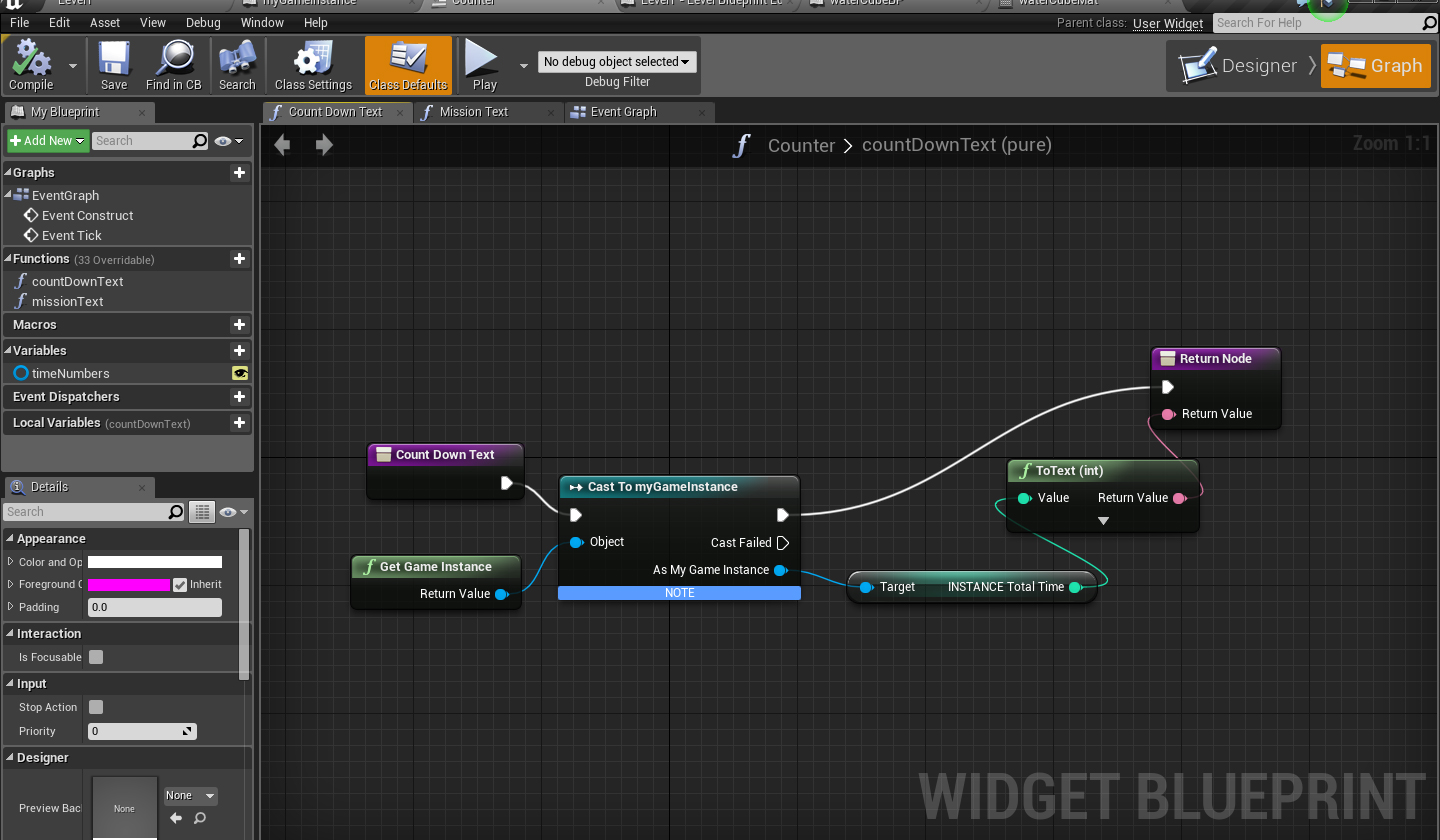
The most work is in the level blueprint (these next two images). Here is the setup on the BeginPlay. I’m just getting references to the widget and game instance and also setting the text I want to display first.

This is on the EventTick in the level blueprint. I am always checking if the water bucket has been found. Once it has, I put out the fire and display some different text. Also I hide the timer. If the bucket is not found, I keep counting until 0. Once it hits 0, the trees are destroyed and replaced by just fire.

Link to pt 1 of the lesson: https://youtu.be/OnqfZEBDnhY
Link to part 2: https://youtu.be/GCq39VmqhP0